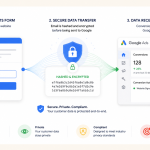
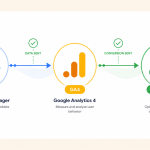
Want to see which search terms people use to find your website—right inside Google Analytics GA4? That’s exactly what happens when you link Google Search Console with Google Analytics GA4.
It’s a powerful combo that gives you deeper insights into your SEO performance and helps you understand what’s driving organic traffic.
What You Need Before You Start to Link Google Analytics with Google Search Console:
To successfully link the two platforms, make sure you have:
•Admin access to the Google Analytics account
•Ownership access to the Google Search Console property
If you’ve got those, you’re good to go!
Step-by-Step: Linking Search Console with GA4
Open your Google Analytics GA4 property
Click on Settings (gear icon) in the bottom-left corner
Under Product Links, select Search Console Links
On the top right, click the “Link” button
Choose the Search Console property you want to connect
Click Confirm and you’re done!
Benefits of Linking Search Console with Google Analytics (GA4)
Once linked, you’ll be able to view search queries that brought users to your website directly within your GA4 reports. This data includes:
•Top search queries
•Clicks and impressions
•Average position in Google Search
It’s a smart way to bring SEO data into your main analytics dashboard.