Controlling where your ads appear is important for performance and brand safety. With Google Ads, you can now review the placements where your Performance Max (PM) campaign ads were shown and exclude unwanted ones — but the process works differently from Standard Display campaigns.
Here’s how placement exclusions work in Performance Max.
View Placements in Performance Max Campaigns
To see where your ads were shown:
Campaigns → Reports editor → Performance Max campaigns placement
You will now be able to view the placements, but keep in mind:
You will only see impressions, not clicks or conversions.
You can click on the link inside the report to open the webpage, YouTube channel, or app.
This allows you to review the placement quality manually.
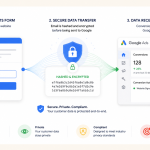
Download the PMax Campaign Placement Report to See Full URLs
Inside the report, full URLs are not visible.
To get them:
Download the report
The downloaded file will include the actual URLs
Copy the URLs you want to exclude
This is the only way to retrieve detailed URLs for PM placements.
How to Exclude the Placements in PM Campaigns
Once you have the URLs, you can exclude them at the account level: